Digitalised product information
Interactive Label
Roles & Responsibilities
Design system optimisation, UX solutions, Interface Design
Programs Used
Adobe XD, Lottie, Photoshop, Illustrator
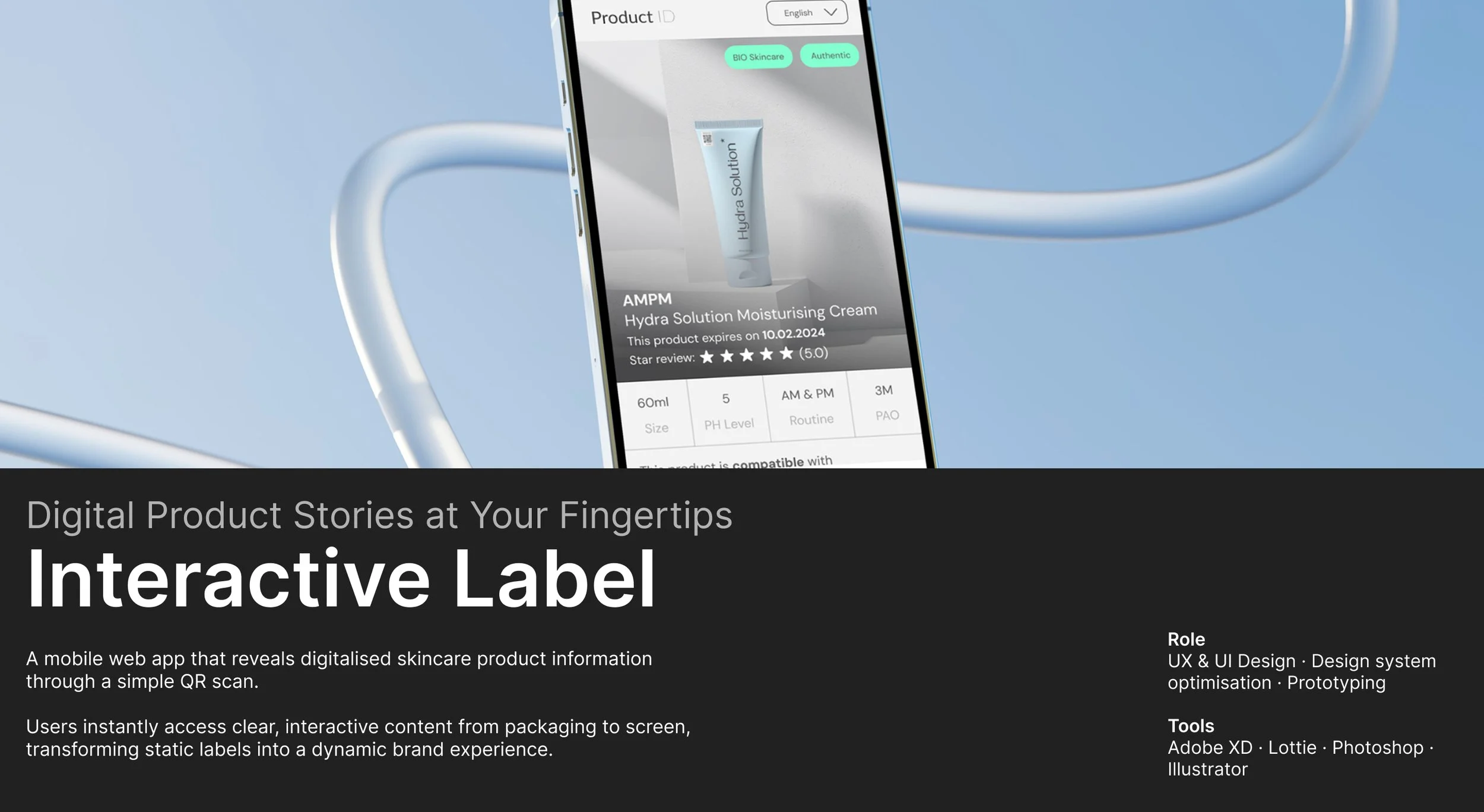
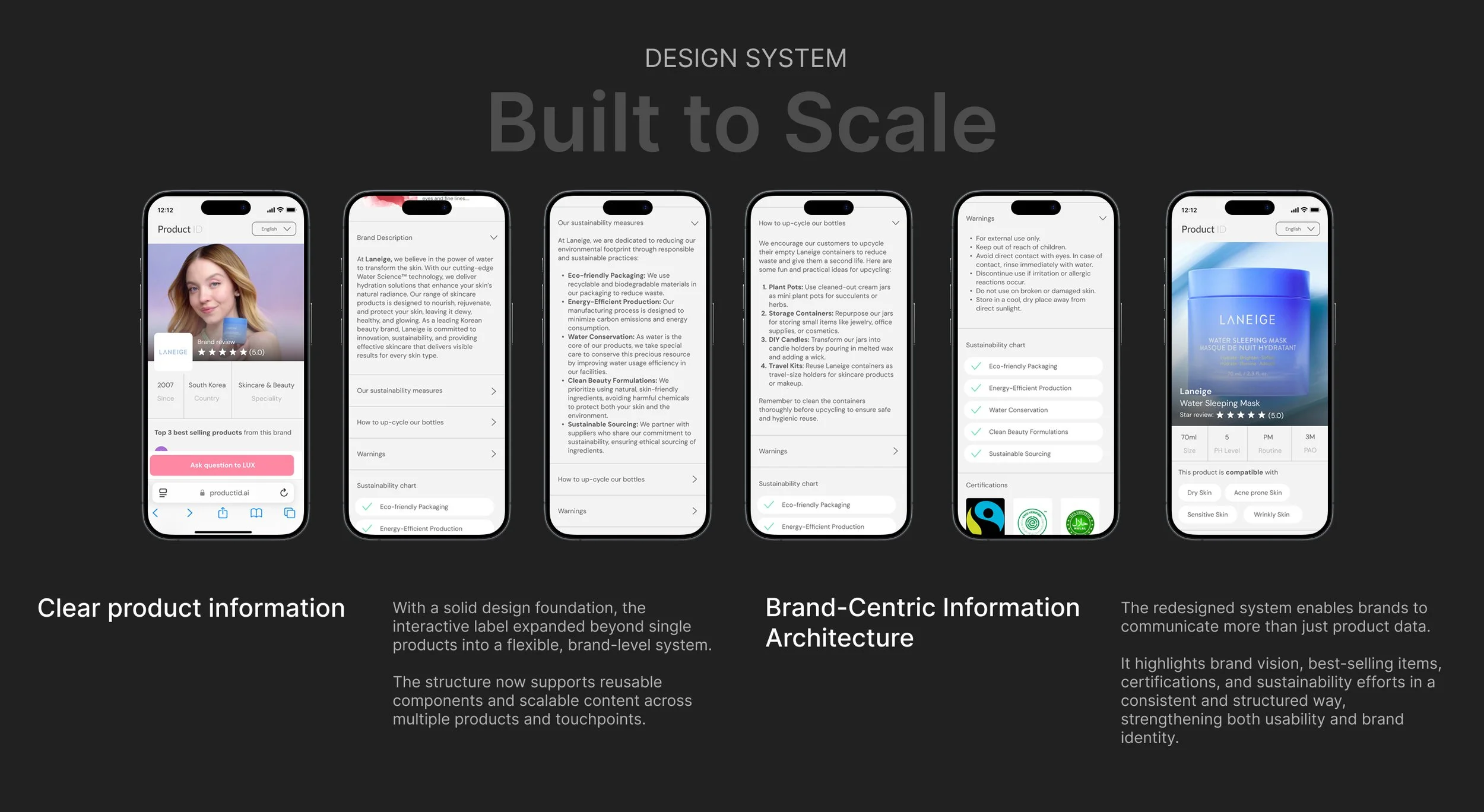
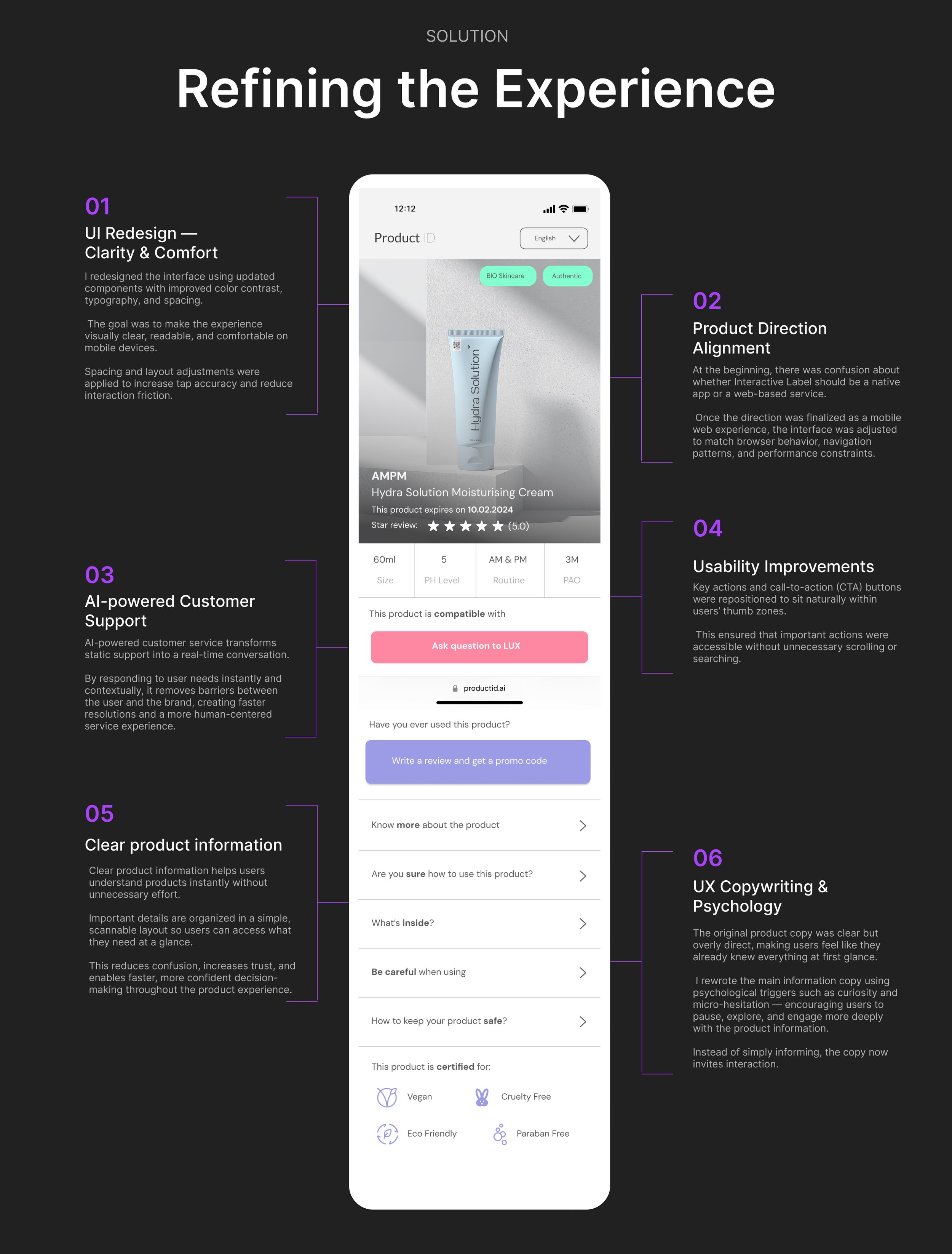
A mobile based web app accessible for users after user scans the Product ID QR code placed on the skincare product. Users are then available to see digitalised product information in the palm of their hands.
Interactive Label as a Communication Tool
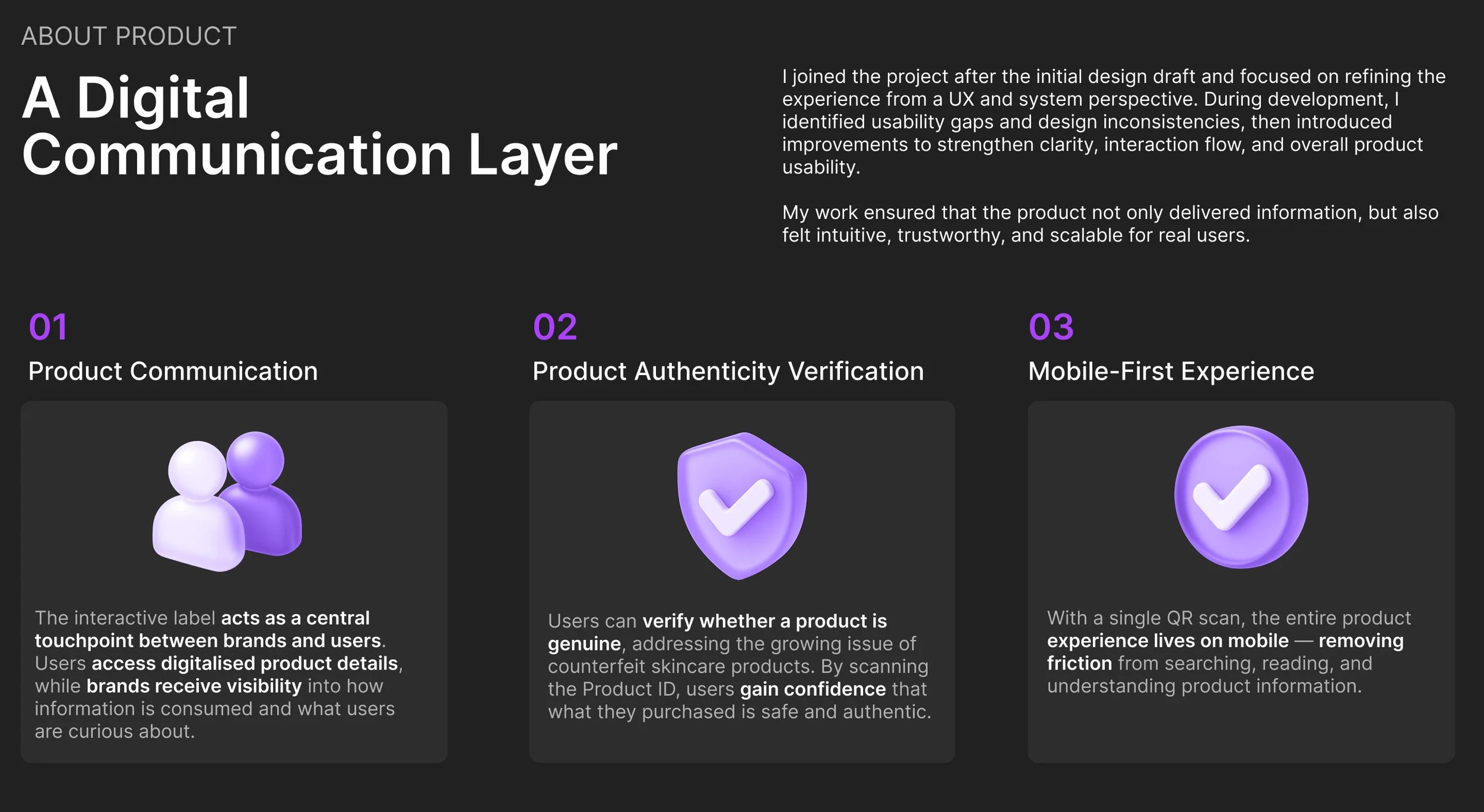
The interactive label serves as a central point of interaction between brands and users, facilitating communication about the product. While users can access valuable information about the product they’ve purchased, brands gain insights into how users interact with the product, including demographics, user queries, and more.
QR Code Integration
The service revolves around a single QR code scan. With one scan, users can access all digitalised product information through the interactive label, providing convenience and transparency.
Brand Dashboard
Through the Product ID dashboard, brands can generate batches of QR codes while inserting verified product information. Additionally, they can access detailed analytics on product usage, user engagement, and the types of information users are seeking.
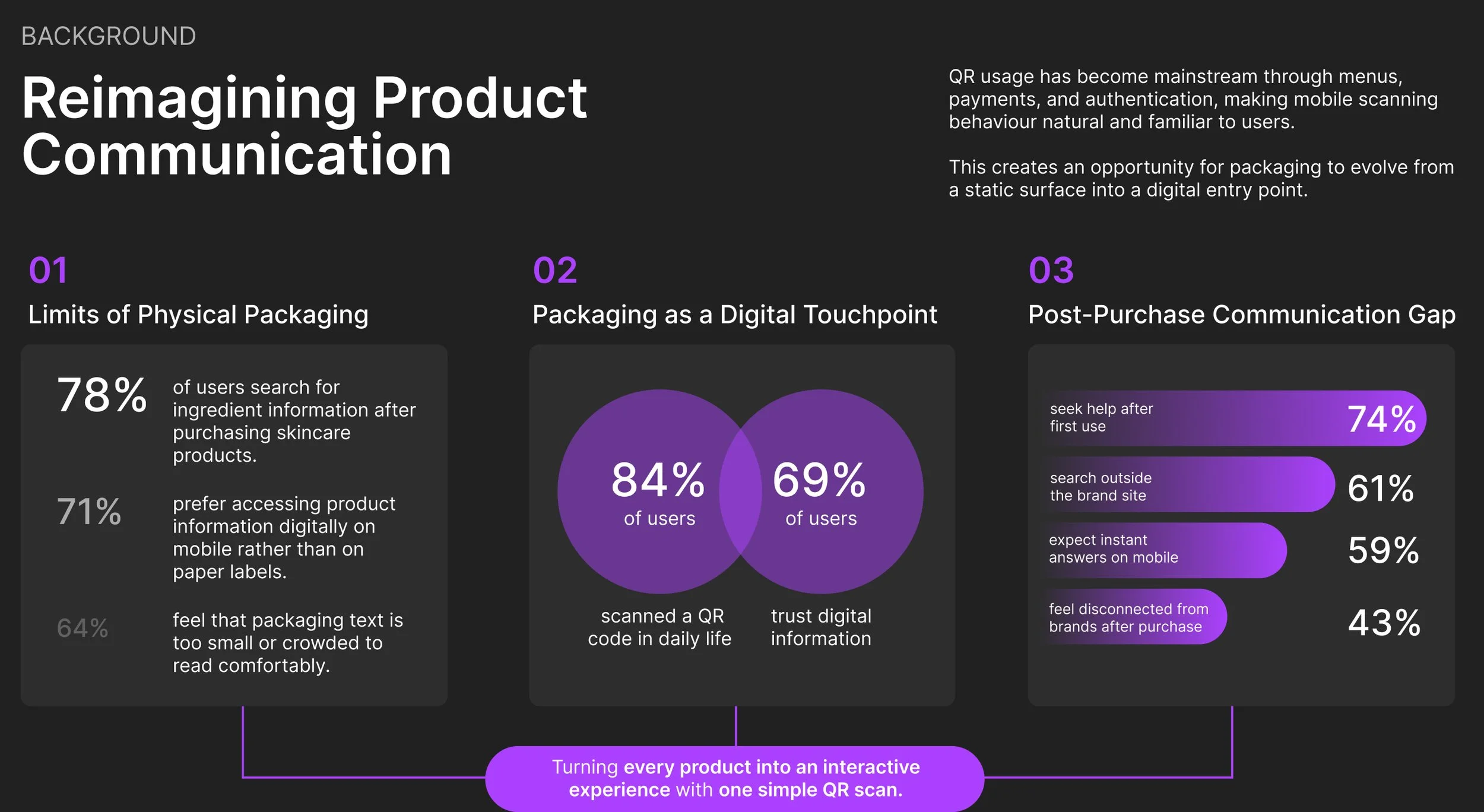
Background Information
about prouct
Problem Solving
how to improve this product?
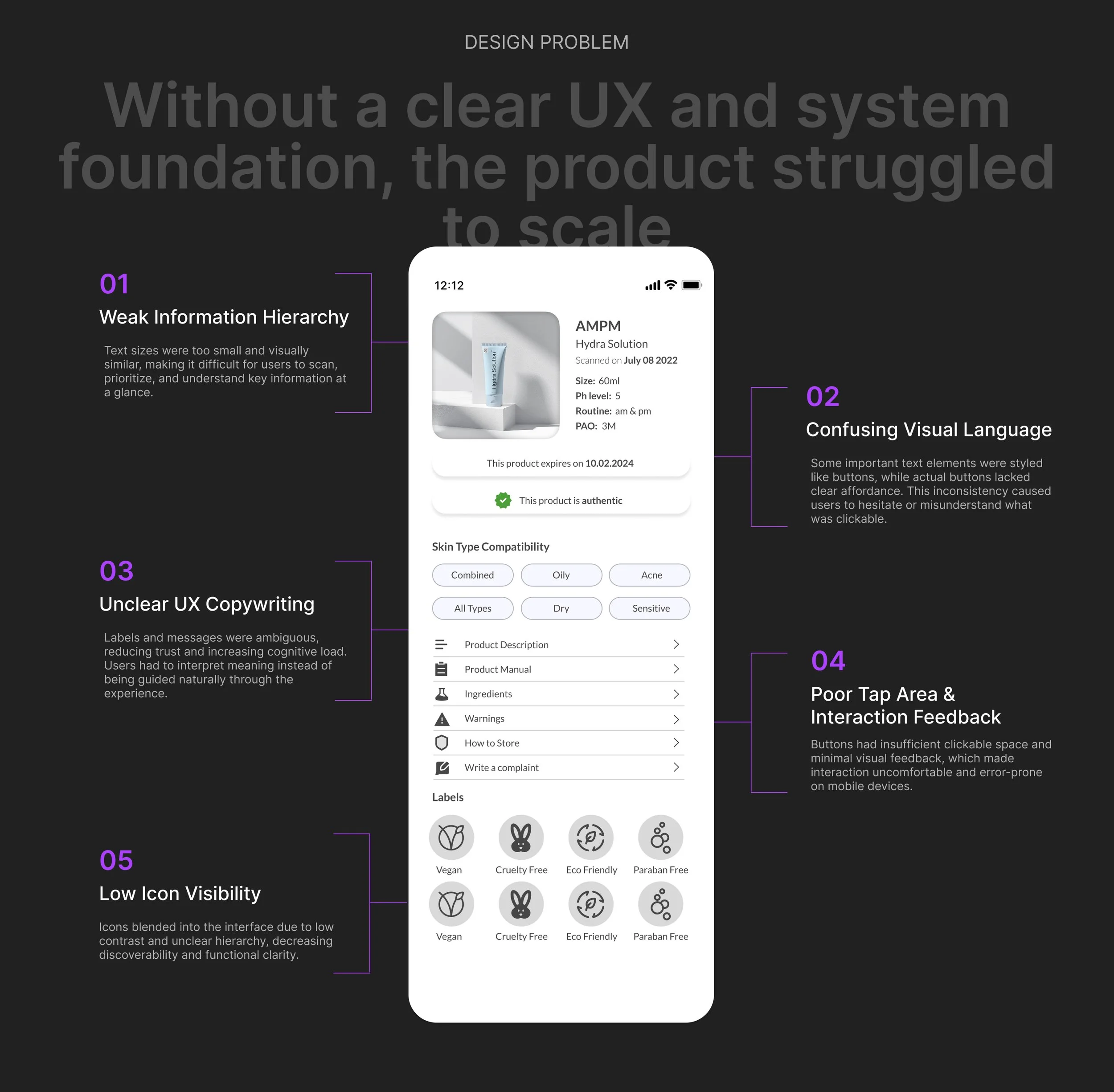
Important text appearing like a button
Certain key text elements are styled in a way that makes them look like buttons, causing confusion.
Unclear &Misleading UX copywriting
The text is not easily understandable, leading to a poor user experience due to ambiguous or confusing messaging.
Icons lack visibility
Icons blend into the design due to low contrast and fail to stand out in the visual hierarchy, making them less effective.
Small Text & Weak Hierarchy
The text is too small, resulting in a lack of clear hierarchy, making it difficult for users to navigate or prioritize information.
Problem Solving
Interactive Label as a Communication Tool: The interactive label serves as a central point of interaction between brands and users, facilitating communication about the product. While users can access valuable information about the product they’ve purchased, brands gain insights into how users interact with the product, including demographics, user queries, and more.
Product Authenticity: Users can also verify the authenticity of the products they’ve purchased, addressing a significant issue in the skincare industry—counterfeit products. Many users are unaware of this issue, and the interactive label provides a means to ensure product authenticity.
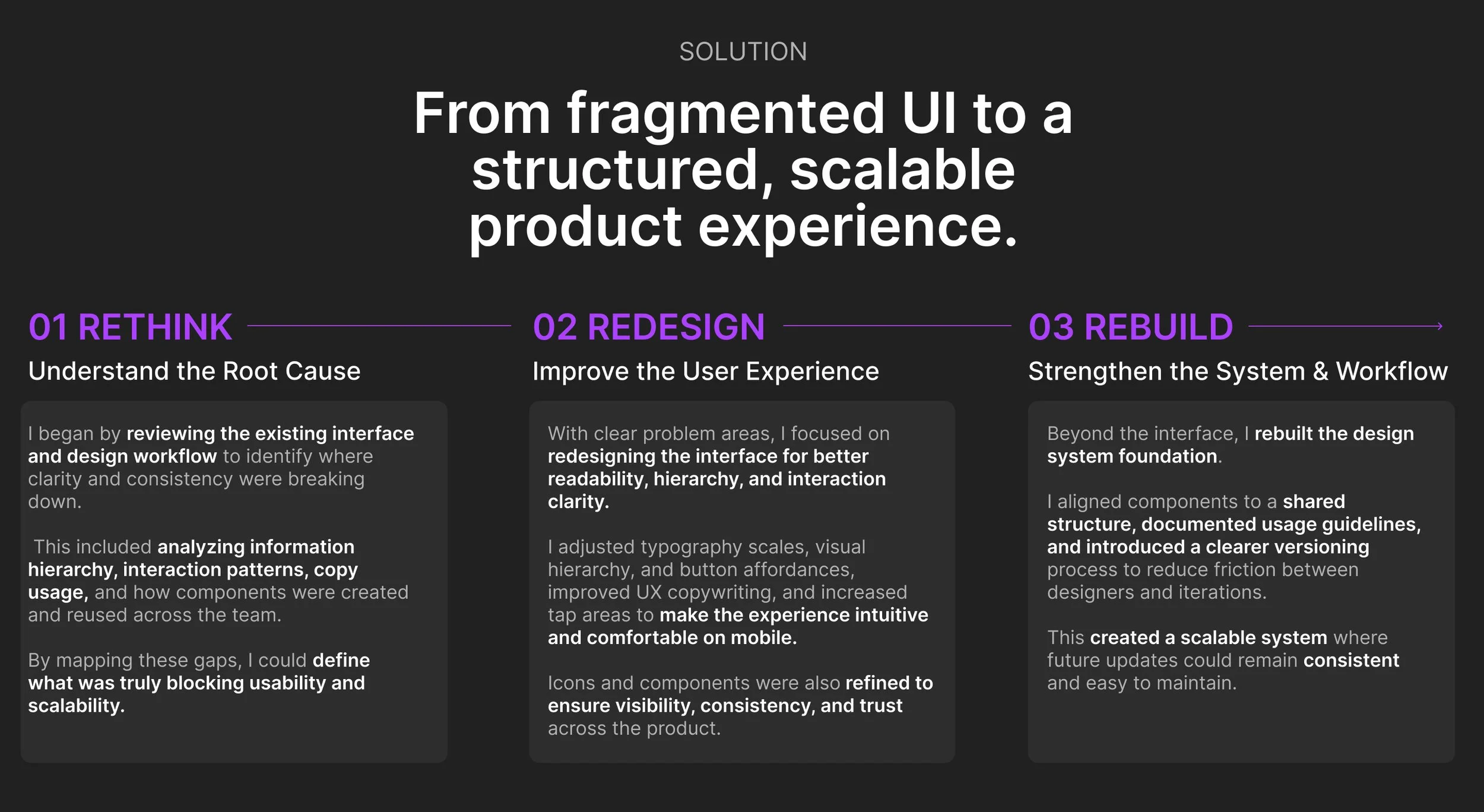
Project Involvement and Adjustments: I joined the project after the initial design draft, and during the process, several issues arose. I identified key areas for improvement and implemented adjustments to enhance the overall user experience and ensure the success of the project.
Interactive label not interacting
Reason for failure:
Design Probelm
Small Text & Weak Hierarchy: The text is too small, resulting in a lack of clear hierarchy, making it difficult for users to navigate or prioritize information.
Important Text Appearing Like a Button: Certain key text elements are styled in a way that makes them look like buttons, causing confusion.
Unclear & Misleading UX Copywriting: The text is not easily understandable, leading to a poor user experience due to ambiguous or confusing messaging.
Insufficient Clickable Space on Buttons: The buttons lack adequate space for users to click, and their design doesn't visually convey that they are clickable elements.
Icons Lack Visibility: Icons blend into the design due to low contrast and fail to stand out in the visual hierarchy, making them less effective.
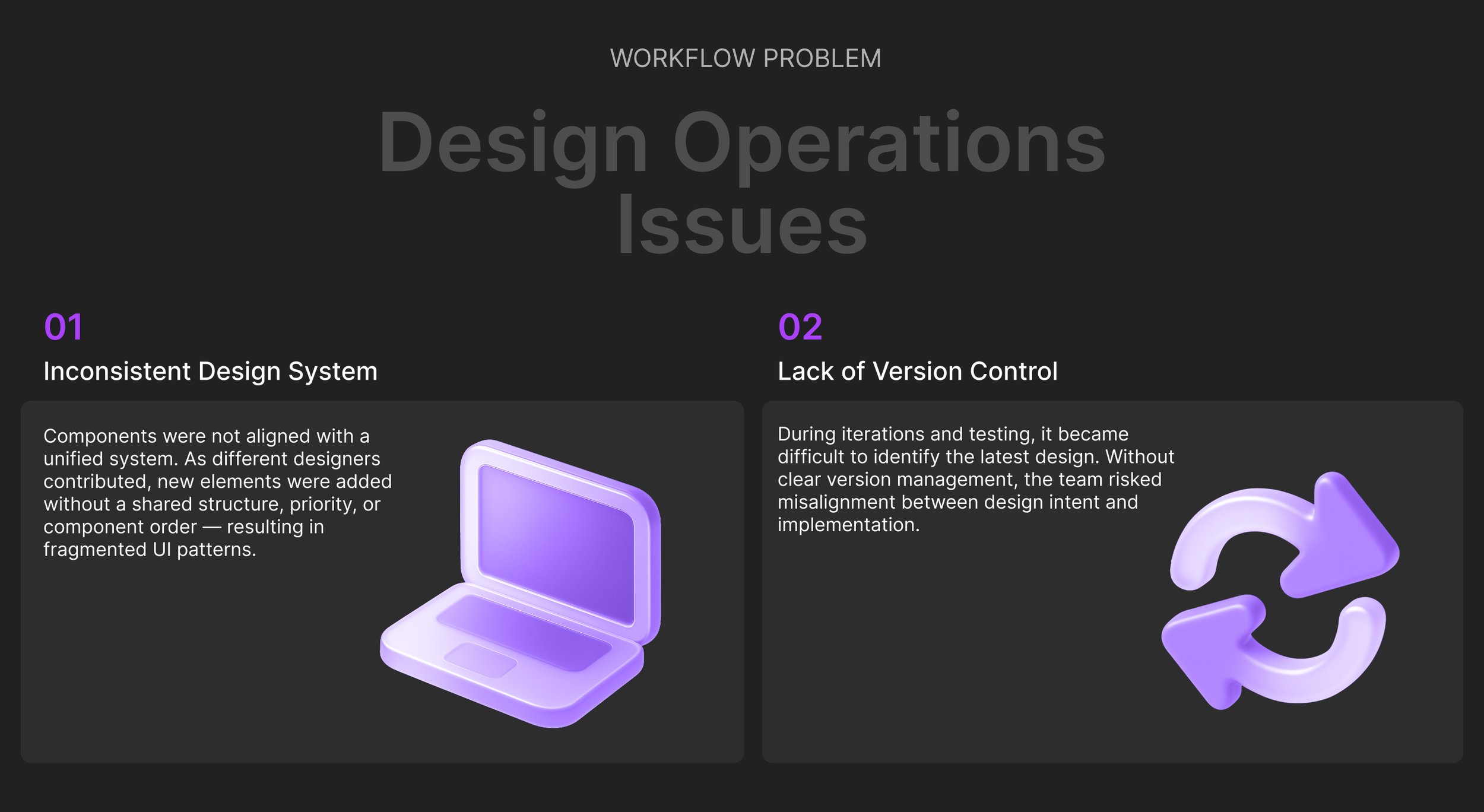
Workflow problem
Inconsistent Design System: The design system lacked cohesion, with components not aligned to the updated design. Each time a designer worked on the project, new designs were created without a clear understanding of priority information or the correct order of components, leading to inconsistencies.
Version Control Issues: As the team tested new designs, it became difficult to identify the most current version due to disorganized workflow and lack of clear version management.